Introduction:
In software development, both functional and non-functional testing are crucial for ensuring a software product's success. Functional testing ensures that software behaves as intended, while non-functional testing examines the software’s aspects like scalability, usability, and reliability. By combining these approaches, development teams can deliver high-quality applications that meet user expectations and perform optimally in various conditions.
In this blog, our primary focus will be on non-functional testing and why it holds critical importance in software development and quality assurance processes. We'll explore the various aspects of non-functional testing and how it contributes to enhancing the overall performance and reliability of software applications.
What is Non-Functional Testing:
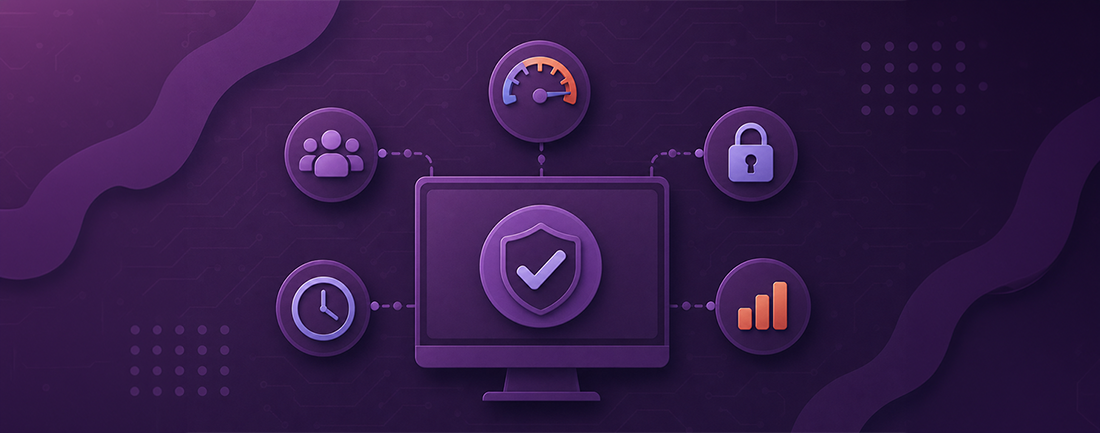
Non-functional testing is a critical aspect of software testing that evaluates various attributes of a software system beyond its basic functionalities. Unlike functional testing, which ensures that the software behaves as expected, non-functional testing focuses on aspects such as performance, stability, usability, security, and compatibility.
Non-functional testing helps identify potential issues that may not be immediately apparent but can significantly impact the software's reliability and user satisfaction.
Key aspects covered in non-functional testing include:
Performance
Evaluating the software's responsiveness, speed, and resource usage under various load conditions to ensure optimal performance.
Stability
Assessing the software's ability to maintain functionality and integrity over time and under stress, such as prolonged use or high traffic.
Usability
Testing the software's ease of use, intuitiveness, and accessibility to ensure a positive user experience.
Security
Verifying the software's ability to protect sensitive data and prevent unauthorized access or breaches.
Compatibility
Checking the software's compatibility with different devices, platforms, browsers, and third-party integrations to ensure seamless operation across various environments.
Non-functional testing plays a crucial role in ensuring that software meets the intended design requirements and delivers high performance, reliability, and user satisfaction.
What is the significance of Non-Functional Testing?
Non-functional testing plays a vital role in guaranteeing a positive user experience and the overall effectiveness of software in real-world scenarios.
Here's why Non-Functional testing is so important:
Handling Lots of Users or Tasks
- Load testing, a crucial type of non-functional testing, assesses whether the system can manage a high volume of users or tasks concurrently.
- This is particularly important for applications expecting heavy usage or dealing with numerous transactions, ensuring smooth performance without slowdowns or disruptions.
Security Verification:
- Non-functional testing, especially security testing, identifies and addresses vulnerabilities within the software to prevent unauthorized access, data breaches, or other security threats.
Characteristics of Non-Functional Testing:
Non-functional testing encompasses various aspects that go beyond basic functionality evaluation, ensuring comprehensive software quality. In this section, we'll explore the key characteristics of non-functional testing, highlighting its importance in assessing software performance, reliability, security, usability, and compatibility across different environments.
Ensuring Software Quality Beyond Functionality:
- Evaluates how the software performs under different conditions.
- Assesses the software's ability to maintain its functionality consistently over time and under various circumstances without failure.
- Tests the user-friendliness of the software, including aspects such as ease of navigation, clarity of instructions, and overall user satisfaction.
- Checks the software for vulnerabilities and ensures that sensitive data is protected from unauthorized access, ensuring the security of the application.
- Verifies that the software operates correctly across different platforms, devices, browsers, and network environments, ensuring compatibility with various configurations.
Industry Trend
With the increasing popularity of cloud-based applications, the demand for robust non-functional testing has surged. This highlights the critical need to ensure reliability, security, and performance in cloud environments.
Cloud Adoption:
Cloud-based applications are on the rise, emphasizing the need for robust non-functional testing. Scalability, reliability, and security in cloud environments are critical considerations.
Navigating Non-Functional Testing Challenges with FireFlink
- Challenge - Subjective Requirements:
- Non-functional requirements are often vague and open to interpretation. Phrases like “application must respond quickly” lack specificity.
- Solution
- FireFlink tackles this challenge by providing clear test goals and requirements.
- Challenge - Time Constraints
- Testing can be time-consuming, especially when balancing functional and non-functional aspects.
- Solution
- FireFlink enhances test execution efficiency by accelerating test scripting up to four times, facilitating faster feedback loops while maintaining high-quality standards.
- Challenge - Resource Allocation
- Non-functional testing requires various resources (hardware, software, personnel).
- Solution
- FireFlink resolves resource allocation challenges by seamlessly integrating with a range of third-party tools. This integration supports effective team collaboration, facilitates CI/CD methodologies, enhances defect management, and enables on-demand scaling, thereby ensuring an efficient testing process.
Types of Non-Functional Testing:
1. Usability Testing:
Usability testing is a user-centered interaction design technique used to evaluate a product by testing it on real users. It provides direct input on how actual users engage with the system or software. The process cycle of usability testing involves the following steps:
Product Ready:
When the product (software) is ready, potential users are invited to test it.
Feedback and Changes:
Based on user feedback, the development team makes necessary changes.
Repeat Testing:
The software undergoes usability testing again.
Launch:
If no further changes are required, the software is launched in the market.
Iterate:
This cycle repeats until the software is completely ready.
2.Security Testing
Security testing is crucial for evaluating the security of a system or application. It identifies vulnerabilities like weak passwords and unpatched software, assesses resilience against attacks, and ensures compliance with security standards. This process helps organizations prepare for potential security incidents. Security testing consists of the following stages:
Requirement Stage:
Analyze business needs for security. Identify manipulative and wasteful cases.
Design Stage:
Explore design risks through security testing. Integrate security tests into the test plan.
Development/Coding Stage:
Conduct white box, static, and dynamic testing.
Testing Stage:
Execute vulnerability scanning and black-box testing.
Implementation Stage:
Perform additional vulnerability scanning. Execute penetration testing.
Maintenance Stage:
Conduct impact analysis on affected areas.
3.Stress Testing
Stress testing evaluates the robustness and error handling of a system by pushing it beyond normal operational limits. It identifies risks, conducts both quantitative and qualitative analyses, involves variable parameters, and promotes cross-functional involvement and transparent communication. An efficient stress testing involves:
- Planning: Define stress testing objectives, scenarios, and success criteria.
- Preparation: Identify critical system components and create test data sets.
- Execution: Conduct stress tests by gradually increasing the load and monitoring system behavior.
- Analysis: Analyze test results, identify performance bottlenecks, and assess system resilience.
- Reporting: Document findings, recommendations, and action plans for improvement.
- Iterate: Repeat stress testing as needed, incorporating feedback and making necessary adjustments.
4. Load Testing
Load Testing evaluates a system's performance under real-world load conditions, including Stress, Spike, and Soak Testing. Load testing can be broken down into the following steps:
- Baseline Testing: Understanding the system's default behavior through initial tests.
- Goal Definition: Identifying load testing objectives and collecting relevant usage data.
- Test Script Creation: Recording test scripts with appropriate data and user scenarios.
- Execution: Running the test scenarios and gathering performance data.
- Optimization: Tweaking test parameters and data points based on analysis findings.
- Re-evaluation: Re-running tests to validate improvements and ensure desired performance levels.
5. Maintainability Testing:
Maintainability Testing ensures a software system's ability to sustain itself during changes, updates, and bug fixes. It focuses on the system's manageability, adaptability, and reliability over time. This testing type involves analyzing, modifying, and testing the product to ensure continued support. Five ISO-defined attributes measure an application's maintainability:
- Modularity: Evaluates if the software comprises independent components that come together. Changes in one component should not excessively affect others. - Reusability: Looks for existing code snippets that can be reused to replicate functionality, reducing development costs and improving overall productivity. - Analyzability: Assesses the efficiency of identifying and fixing unintended software flows or defects in system components. - Modifiability: Determines how easily the system can be modified without compromising quality or existing features.
- Testability: Measures the effectiveness of developing test criteria and if these tests can meet those criteria.
Preventive maintenance involves actions to reduce future expenditures for system support. Key factors contributing to maintainability include code readability, modularity, and documentation.
6. Volume Testing
Volume Testing is a software testing method that assesses a system's performance under a large volume of data. During volume testing, several crucial aspects are evaluated:
- Data Integrity: Verify that there is no loss of data during processing. - Response Time: Measure the system's response time when handling heavy data loads. - Data Storage: Ensure that data is stored correctly without corruption. - Overwriting: Assess whether data is overwritten without proper notification. - Error Handling: Check for warning and error messages related to volume issues and ensure proper handling. - Processing Speed: Evaluate if the system's processing speed is affected by high volume data.
- Memory Resources: Ensure that the system has sufficient memory resources to handle the data load.
- System-wide Execution: Execute volume tests on the entire system to assess its performance comprehensively.
- Risk Assessment: Consider the risks associated with exceeding specified data volume limits and prepare appropriate mitigation strategies.
How FireFlink supports different types of Non-Functional Testing.
-
FireFlink UI Performance Testing: FireFlink examines the application's visual or user-interface components performance to ensure that appropriate functionality is rendered at the expected speed.
-
Configuration Testing: FireFlink facilitates configuration testing that evaluates how a software application performs under various combinations of software and hardware configurations.
-
UX Testing: FireFlink enables efficient user experience testing that evaluates how a software system performs when subjected to a large volume of data. The benefits of UX testing include
-
Early identification of usability issues.
-
Immunity from potential failure.
Conclusion
- Non-functional testing isn’t an afterthought: It's crucial to consider non-functional testing from the start of the software development process to address performance, scalability, and usability issues early on.
- Early consideration of non-functional aspects helps in identifying and addressing potential issues before they become major problems.
- It’s an important strategy: Incorporating non-functional testing as a key part of the testing strategy ensures comprehensive testing coverage and enhances the overall quality of the software.
- Non-functional testing complements functional testing by focusing on aspects like performance, security, and reliability.
- FireFlink helps test teams: Tools like FireFlink provide testing teams with the necessary capabilities to streamline and automate non-functional testing processes.
- FireFlink offers features such as UI performance testing, configuration testing, and UX testing, enabling efficient testing across various non-functional aspects. -Making sure the software is reliable: Utilizing tools like FireFlink ensures that the software meets the highest standards of quality and delivers a seamless user experience.
- By addressing non-functional requirements effectively, software products can achieve optimal performance, reliability, and user satisfaction.